
Blogging on Squarespace: What You Need to Know Before You Start
Blog Overview: Adding a blog to your Squarespace website isn’t about posting constantly or chasing what’s trending. It’s about creating a clear, intentional space that supports your business — attracting the right clients, building trust, and showcasing how you think about your industry. This post walks through how to approach blogging strategically, from categories and structure to SEO basics and realistic publishing rhythms, all from a web designer’s point of view (🙋🏼♀️, hi, that’s me).
Note: Some of my recommendations are affiliate links, and I may earn a small percentage of the sale if you make a purchase. FWIW, I only recommend businesses I wholeheartedly believe in.
What We cover in this post
Why You Need a Blog
Getting Clarity on Your Audience
Selecting Topics That Support Your Goals
Categories vs Tags
Types of Post Styles & Formats
Favourite Tools to Make Your Blog Better
Keeping Your Blog Legal
Foundational SEO for Your Blog
Hitting Publish
You’ve built your Squarespace website. Your services are clear, your contact form works, and maybe you’ve added a few FAQs and client testimonials about how awesome you are. And now you’re asking the question almost every service-based business owner hits:
Do I actually need a blog?
Short answer: yes.
Longer answer: yes, but only if you approach it with intention. A blog should support how your business works, not become another thing you feel guilty about ignoring.
This post is meant to help you think about blogging the way a web designer does — strategically, realistically, and with your long-term business in mind.
Why Travel Advisors & Service Providers Should Start a Blog (stating the obvious)
A blog excels in several areas when it’s set up thoughtfully. FWIW, this post uses a ‘Travel Advisor’ role throughout as an example industry, but the framework applies regardless. Let’s dive in.
Blogs Bring Traffic to Your Website
Blog posts allow you to show up in search results when someone is actively planning a trip. Searches like ‘best family resorts in Mexico’ or ‘how to plan a honeymoon in Italy’ are happening every day.
A well-structured, SEO optimized blog post puts your business in front of potential clients before they’ve chosen who to work with, if anyone at all. Getting your keyword-rich posts visible to Google or AI search is critical.
ICYMI, check out the post on How Travel Advisors Can Compete With and Embrace AI in 2026 for my take on AI, at this blip in time.
Blogs Prove Your Industry Expertise
Anyone can say they specialize in luxury travel, destination weddings, or complex FIT itineraries. A blog allows you to demonstrate that knowledge in a way that feels natural and helpful. When someone reads a thoughtful guide on the Amalfi Coast or a clear breakdown on the intricacies of safari planning, they start to trust you — long before they book a call.
Additional Income — Need I Say More?
If you partner with travel insurance companies, luggage brands, or booking platforms, your blog becomes a place to recommend products and services you already use. Done well, affiliate content feels like guidance for their next trip, not sales — but making money off your favourite things is fun too.
Your blog isn’t just content. It’s a visibility tool, a trust-builder, and a long-term asset that works even when you’re offline.
First, Get Clear On Who You’re Writing For
Before you write anything, decide who your blog is actually for. This decision shapes your topics, tone, and structure.
Ask yourself: Who do I want reading this? What is the primary goal of the blog?
If your blog is for potential clients (more service-oriented), your content should help them feel informed, supported, and confident reaching out. Think destination guides, planning advice, and insider perspective that makes someone say, ‘I don’t want to figure this out alone.’
If your blog focuses on affiliate marketing (like a travel blogger), your audience may be more diverse. These are DIY travellers seeking recommendations on tips, gear, insurance, tools, or resources. They may never become clients — and that’s okay.
If you want to do both, that works (that’s what I do). Just be clear about the goal of each post. Some posts are meant to attract clients. Others are designed to generate clicks and passive income. Many can do a bit of both.
Clarity here makes everything else easier.
Next, Choose Topics That Support Your Blogging Goals & Align With Your Business
Selecting topics to write about, also known as 'categories,’ is the backbone of your blog. They help readers navigate your content and help search engines understand what you’re known for.
Your categories should reflect your industry, what you offer, and who you want to attract.
Some category approaches that work especially well for premium travel advisors focus less on mass-market destinations and more on experience, expertise, and decision-making support.
Here are a few ideas to get brainstorming:
Experience Led Destination Categories: useful if you plan high-touch, design-forward trips
Italy, Curated
Caribbean Escapes
African Safaris & Conservation Travel
European River Cruising, Elevated
Travel Style Categories (premium lens): frame these around outcomes and experience, not deals
Tailored Family Travel
Honeymoons & Once-in-a-Lifetime Journeys
Private Group & Hosted Travel
Sustainable & Slow Travel
Client Style Categories: who you work best with
Destination Weddings & Celebrations
Multigenerational Travel Planning
Solo Travel, Well-Planned
First-Time Luxury Cruisers
Decision-support & insight categories: these build trust and work well for SEO + affiliates
Hotel & Experience Reviews
Travel Insurance & Protection
Tools, Gear & Travel Essentials
Planning Notes & Travel Considerations
Three to five well-chosen topics/pillars/categories are more than enough. If a category doesn’t reflect how you want to be hired or the level of travel you plan, it probably doesn’t belong. You’ll take these topics and create shorter blog ‘category’ names to help filter your posts.
The Lowdown on Categories vs. Tags (and why it matters in Squarespace)
Squarespace gives you two ways to organize content: categories and tags. They’re related, but they serve different purposes.
Categories are your main structure. Every post should live in one or two categories. These often appear in your blog navigation and shape how people browse your site. Usually, it’s a one or two-word descriptor
I use an archive block to help filter mine out, as well as hyperlinks on my main blog page. These are also shown at the top of each blog post, if you like.
Tags are supporting details. A post can have multiple tags. They connect related content across categories. You’ll find my tags at the bottom of each post.
For example:
A post titled ‘The Best All-Inclusive Resorts in Cancun for Families’ might live in the Family Travel category and be tagged with Mexico, Cancun, All-Inclusive, and Beach Vacations.
Another post like ‘How to Choose the Right All-Inclusive Resort’ might be in Planning Tips, but shares some of the same tags.
In Squarespace, categories carry more weight are the main filter. Keep them simple and consistent. Use tags to capture nuance.
Here’s what the backend looks like when setting up your blog categories & tags
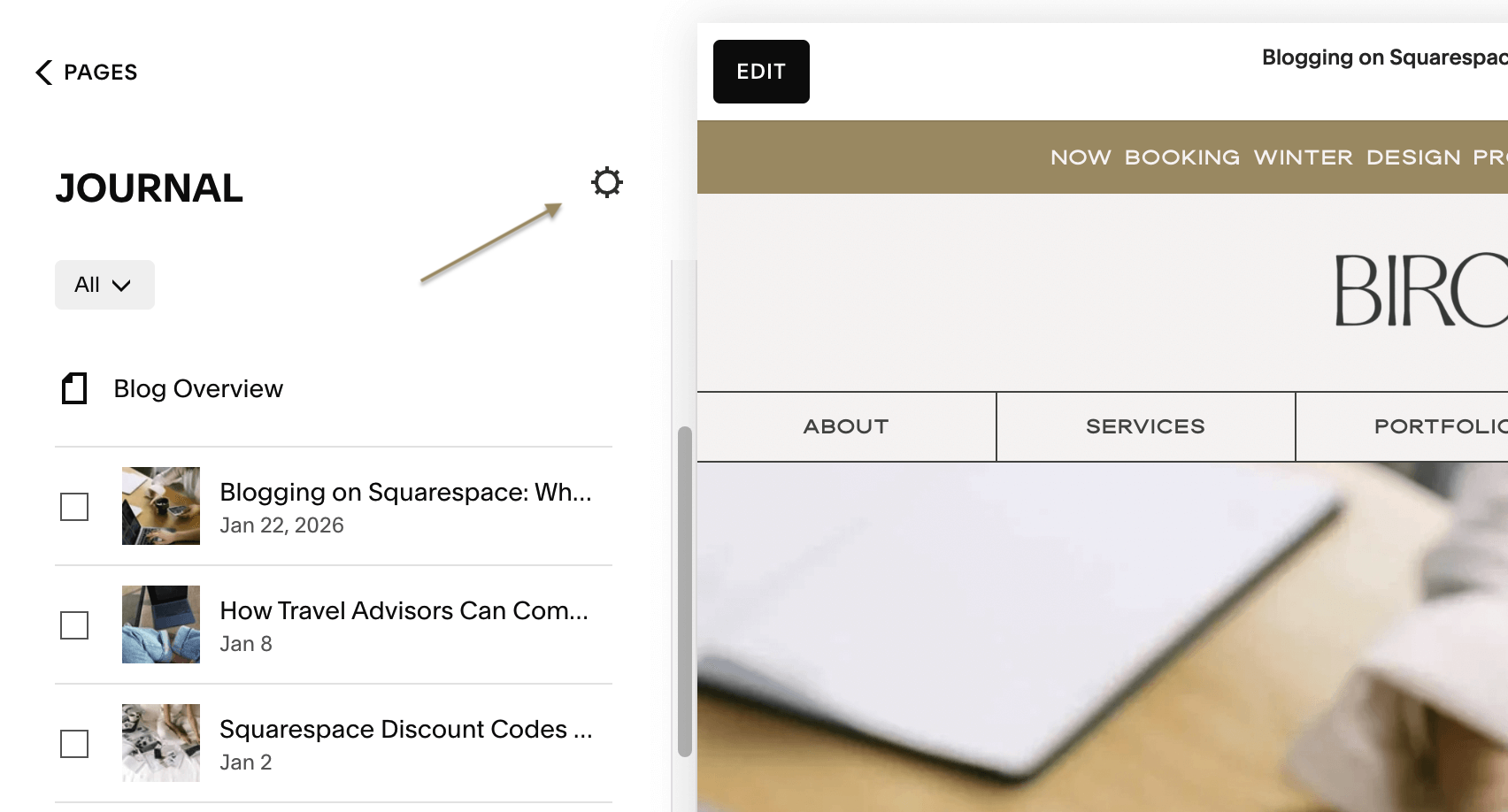
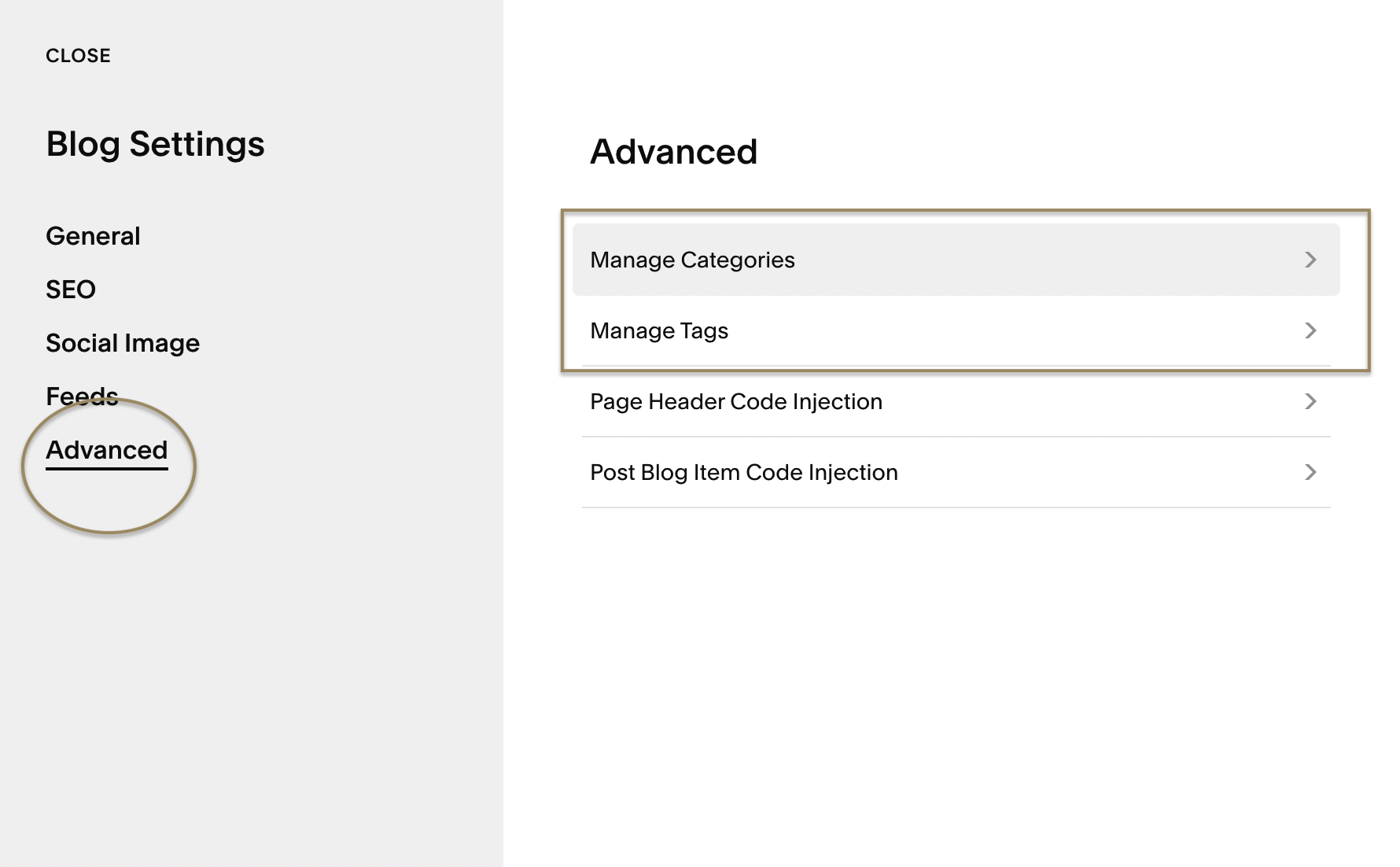
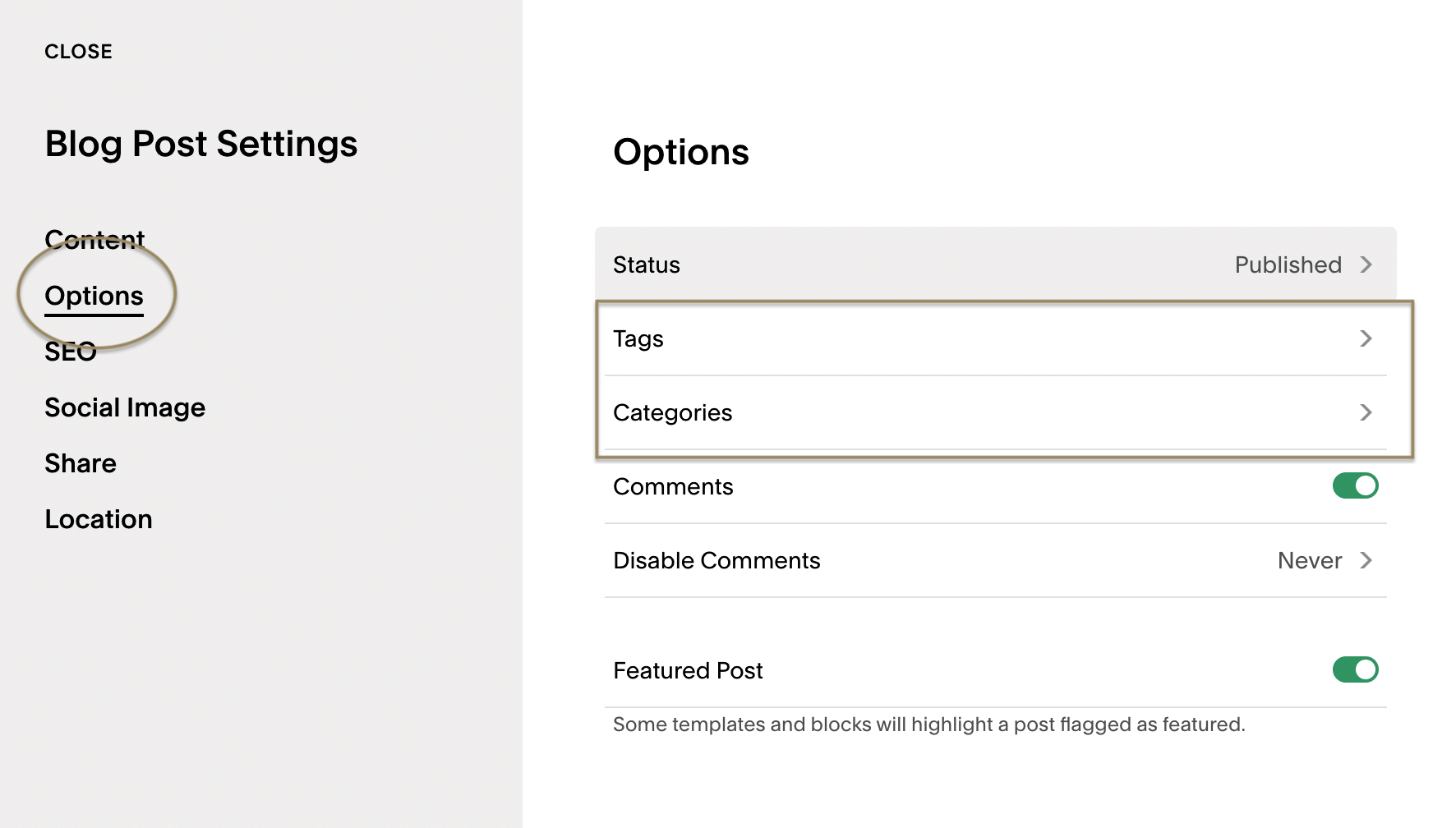
So, you’ve got a handle on who your audience is going to be, what your rough blog goals are and a few categories or topics. Now you might be wondering, what do I write about? How long should it be? Does it even matter?
Yes, it matters, but it doesn’t have to be an exact science, and you don’t need to write a dissertation every blog post (although this is my problem). Certain formats consistently perform well for travel advisors and other service-based businesses.
Pillar Posts vs. Supporting Content and Why You Want Both
Not all blog posts serve the same purpose, and they shouldn’t.
Pillar Posts — create structure
Pillar posts are your anchor pieces. These are longer, more comprehensive posts that cover a topic in depth and reflect your core expertise. Think destination guides, travel styles you specialize in, or planning frameworks you return to often.
They’re usually 1,500–2,500 words and are designed to rank in search, build authority, and act as a hub you can link back to over time (internal linking).
Supporting Posts — add depth
Supporting posts branch off your pillars. These are more focused, specific pieces that answer one question, compare two options, or go deeper on a single detail. They’re easier to write and easier to maintain.
These typically sit in the 600–1,200 word range and exist to support your pillars through internal linking and topical relevance.
Short Form or Insight Posts — keep things more human
Short-form or insight posts are lighter, quicker reads. These might include reviews, planning notes, FAQs, or timely insights from recent trips. They don’t need to rank for big keywords — they’re about trust and texture. Think re-purposing an Instagram carousel post!
These often land around 400–800 words and are perfect for consistency without burnout.
A strong blog doesn’t rely on one format; mix it up! It’s great to have a variety and a plan, but don’t stress too much at the beginning. Just get started, and you can evolve as you go.
Steal These Format Ideas For Your Next Post
Within those different posting styles, pillar, supporting and short form posts, you can mix up the formats to keep your blog useful and engaging.
Here are a few ideas to get you started:
Destination guides
In-depth overviews of a place, written from experience. These build trust and perform well in search.
List-based posts
Clear, scannable posts like ‘Top Premium Family Resorts in the Caribbean’ or ‘What to Pack for a River Cruise.’ Easy to read and easy to share.
Comparison posts
Helpful breakdowns that support decision-making, such as AmaWaterways vs. Viking River Cruise, or booking methods like Expedia vs. with you.
Travel tips and how-to posts
Answer the questions clients ask you all the time. These posts are practical and highly searchable, especially in AI results.
Reviews
Honest insights into resorts, cruise lines, or products you’ve personally experienced. Ideal for affiliate content when done thoughtfully.
Itineraries
Day-by-day plans that show how you think and plan. These are time-intensive but incredibly valuable. You can also gate these behind blog paywalls in Squarespace.
Behind-the-scenes or What It’s Like To Work Together
A look at your process, your planning philosophy, or what working with you is really like. These build connection and trust.



The Upgrade — Squarespace Code Tutorials & Ideas to Make Your Blog Prettier and More Functional
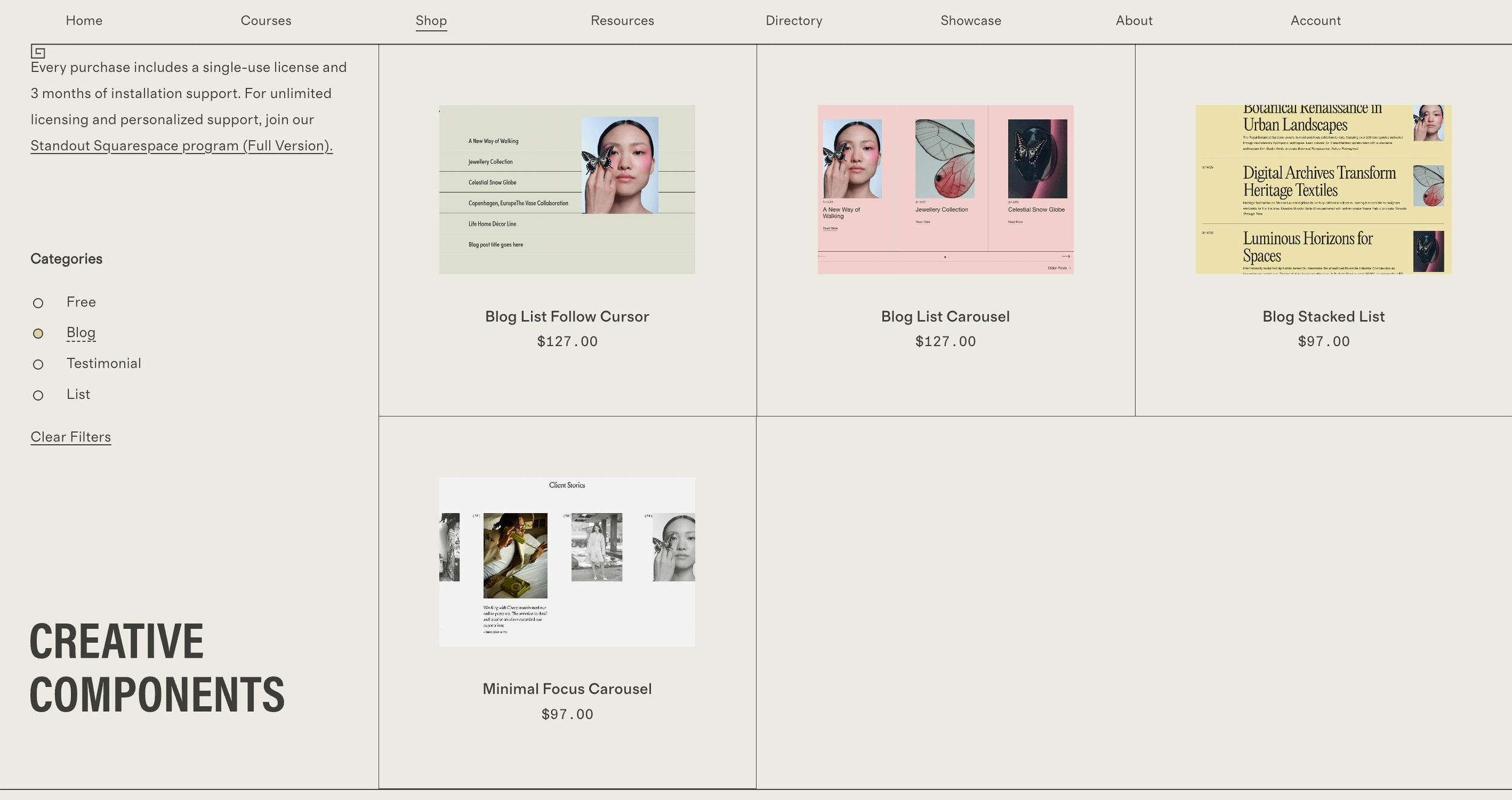
Once you’ve got your blog set up, you may want your blog styling or functionality to feel more custom and considered. These tools and creators are worth checking out! They’re especially helpful if you’re working in Squarespace and want to go beyond the default layouts.
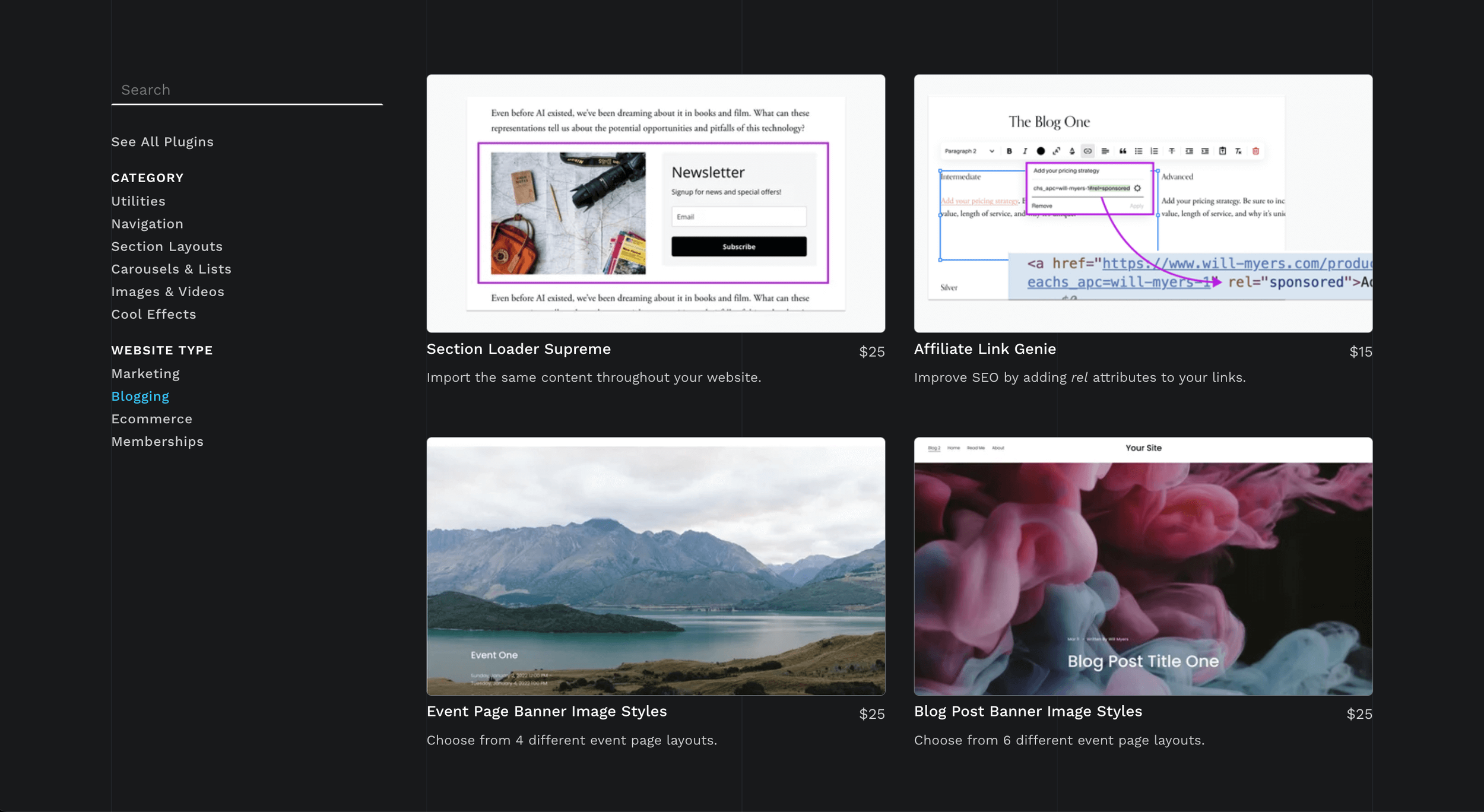
Will Myers
Advanced Squarespace plugins and tools that add flexibility, polish, and functionality well beyond native features in Squarespace. He also has a Code Curious monthly membership at a very affordable price point.
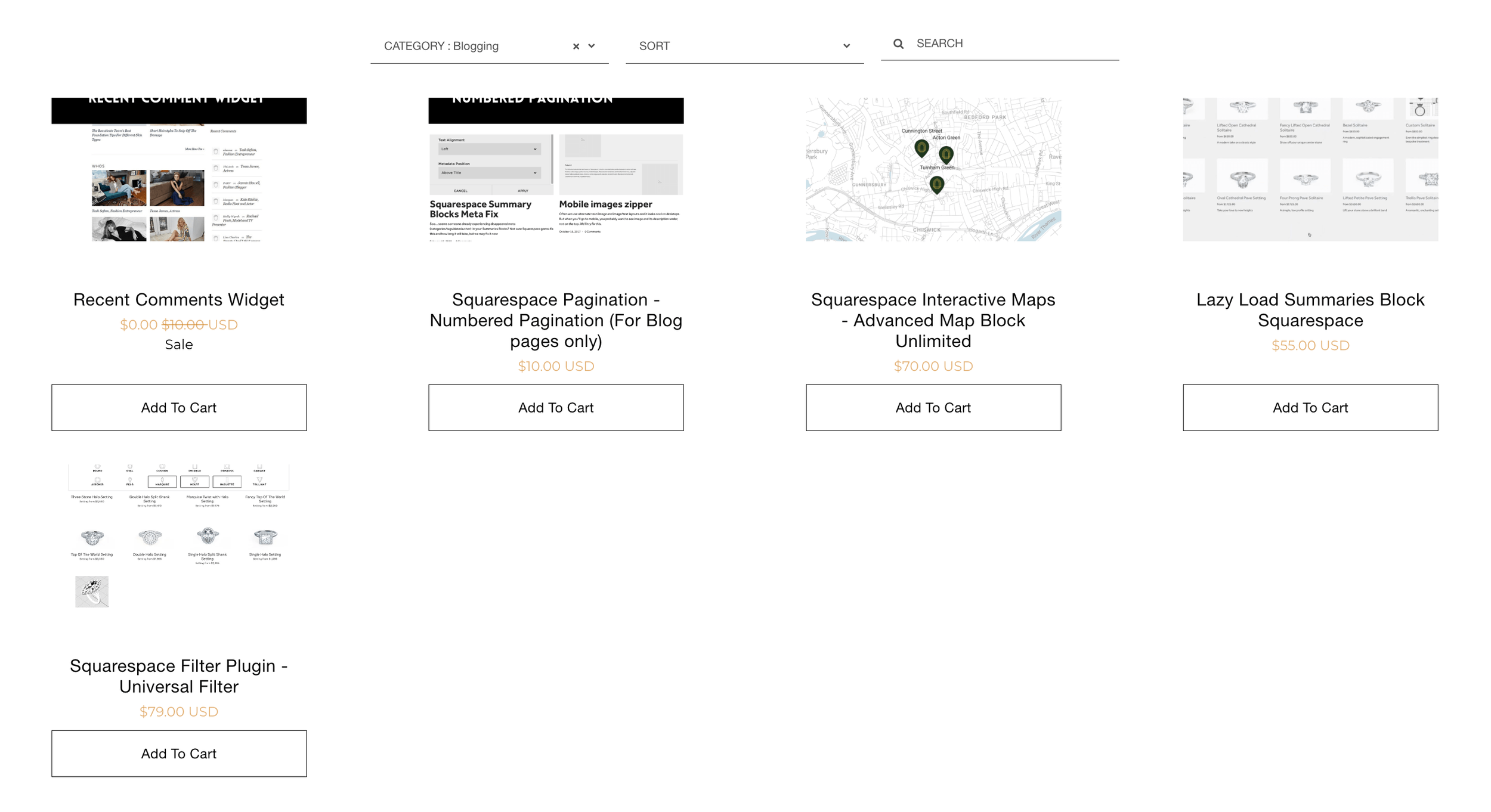
Square Websites
Helpful code snippets like the Universal Filter Plugin or the Lazy Loading Block (for summary blocks). These are both great when you want to enable deeper (and accurate) search or have a lot of categories or posts for visitors to work through. The Universal Filter Plugin also works with the e-commerce Shop, as used for my client project, Studio Apri.
Savvy, Your AI Coding Assistant by Squarestylist
This new AI tool was developed by legendary Rache, founder of Standout Squarespace, the ultimate course on refining your design and coding foundations on Squarespace. It acts as a Chrome extension with free and paid tiers and created with her insane coding knowledge and Squarespace structure in mind.
Beatriz Carabello
Beautiful, design-forward code snippets and tutorials. She is great at explaining what she’s doing so you’re not just copying and pasting code.
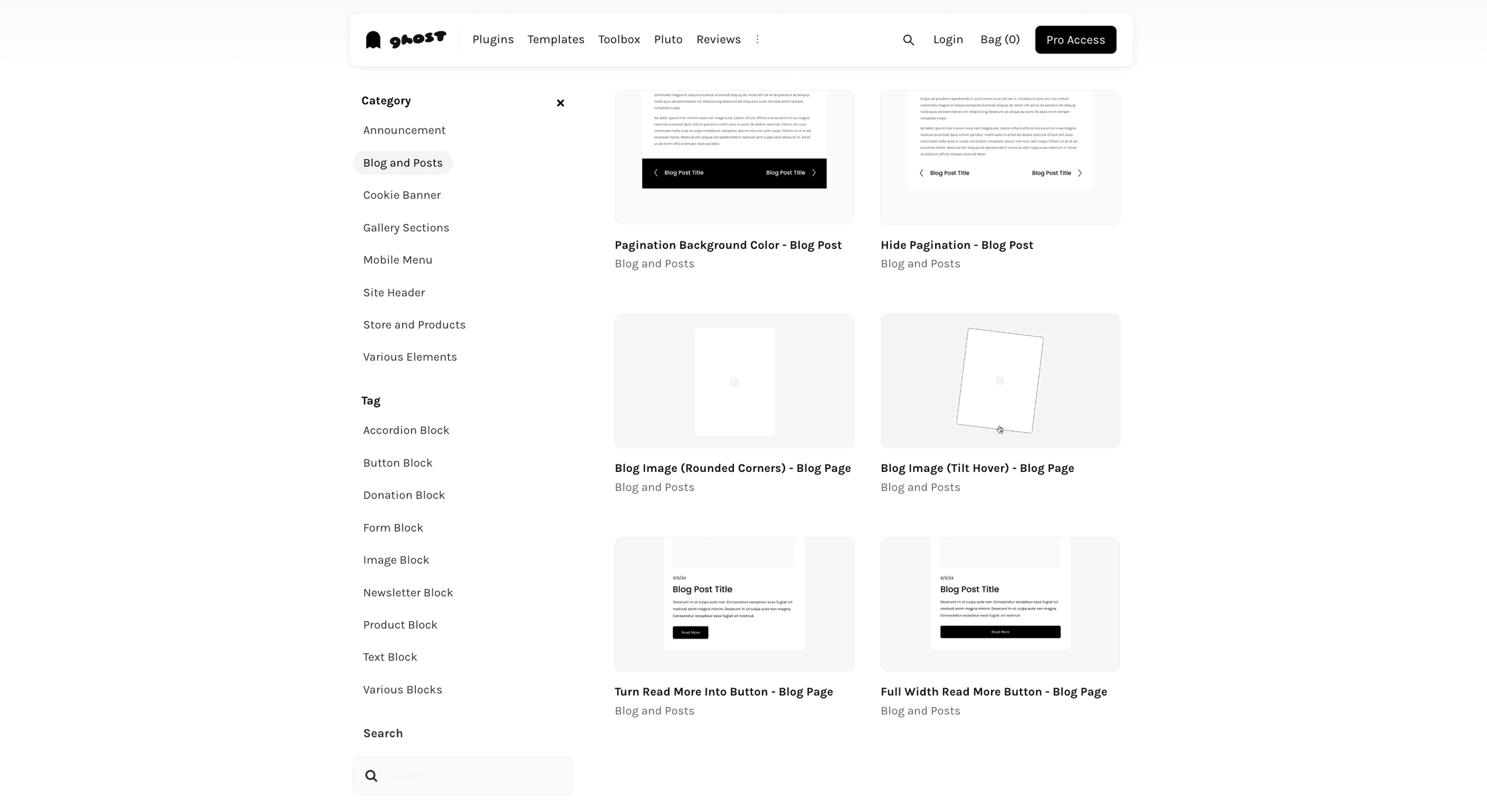
Ghost Plugins
A collection of free & paid plugins that help enhance layouts, navigation, and interactive elements without heavy custom development. Use code BIRCHANDBUDDESIGN for 10% off Super Plugins, Templates, and Ghost+ Memberships (1st month).
Inside The Square
Education, tools, and resources for getting more out of Squarespace, especially when you want to customize thoughtfully. Her new custom GPT, Custom Codey, is available on Claude and ChatGPT and developed to work with Squarespace selectors specifically.
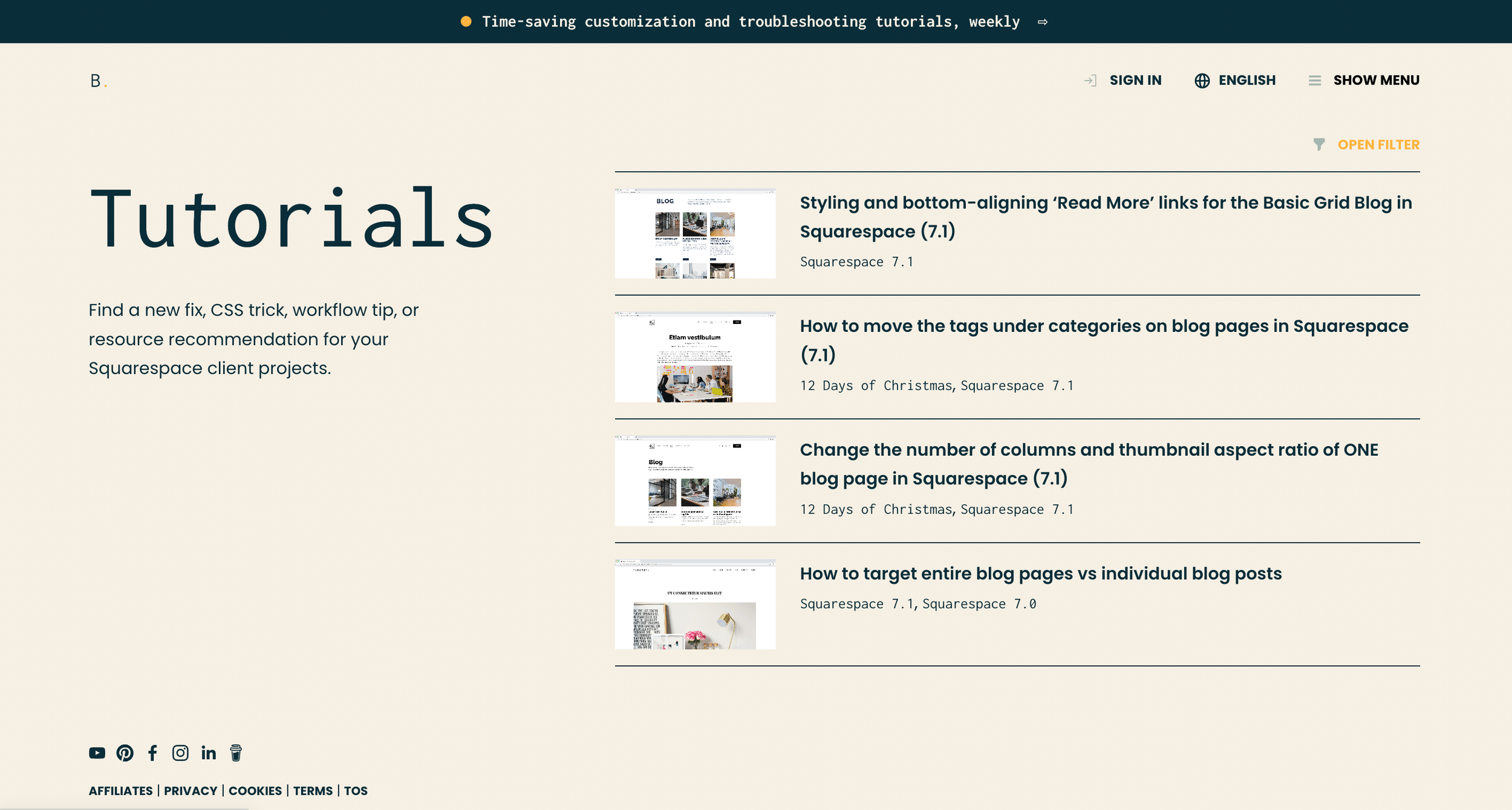
Launch The Damn Thing
A very in-depth blog with lots of ideas to implement unique features, or just get your blog functioning optimally!
Stay Compliant — Don’t Forget to Keep Your Blog Legal With Privacy Policy, Terms & Conditions, and Affiliate Disclaimers
Often overlooked, but very important, is covering your legal butt. If your website takes contact info or has affiliate links, product recommendations, or advice of any kind, you need proper legal disclaimers.
At a minimum, your site should include:
A Website Privacy Policy and Terms of Use
Affiliate disclosures (where applicable)
I recommend Contracts Market or The Legal Paige for templates which may be customized for your business, or an auto-updating plug-in like Termageddon (affiliates of mine) to generate and maintain these policies. Check out the post below, ‘Your Essential Guide on Website Requirements’, to read more on this!
Save 10% off The Legal Paige shop with code BIRCH10 and 10% off Termageddon with code BIRCH!
This isn’t optional — especially if you’re collecting email addresses or earning affiliate income. I’ve written more about this in my post on website legal essentials for your website, which is worth reading before you publish.

Mastering SEO Basics — aka, Getting Found on the Web & in AI Results
After all your hard work getting your blog started, we need some eyes on it! You don’t need to be an SEO expert, but a few fundamentals go a long way to ensuring it starts popping up in search.
Don’t be fooled by the spammers in your inbox — you will NOT rank on the 1st page of Google easily, and your website isn’t a mess without them. It takes time and a lot of work to advance to the first page. The more quality content you pump out, the more the crawlers will scan your site, which means a better chance of showing up.
Some key must-haves:
Use clear, descriptive titles that reflect what someone might search for (SEO Title & Description)
Write for real people first, but be sure to see what’s trending for your keywords (SEOSpace, UberSuggest, Google Keyword Planner are helpful)
Link between related posts and pages on your site (internal linking) to help Google understand your website better
Optimize images for load speed and accessibility (under 250KB each is best, but 500KB at max, and add alt text to images)
Use your blog excerpt intentionally — it often doubles as your meta description
Small details add up!
For more ideas on maximizing your blog posts for traffic, check out my post ‘Boost Your Blog Traffic With Must-Have Strategies’.
If you haven’t downloaded the free SEOSpace plugin for your Squarespace website, I definitely recommend checking it out to help ensure you’re covering the basics.
Upgrade to the paid tier for enhanced resources like keyword generation, automatic image compression, multiple scans and more.
Time To Publish — Stick To a Manageable Schedule
Consistency matters more than frequency.
If one post every two weeks is realistic, start there. If monthly feels manageable, that’s fine too. The goal is forward momentum, not burnout.
Batch writing helps. Write a few posts at once and schedule them in Squarespace so your blog stays active even during busy seasons.
Pro Tips to Steal
Do not write in Squarespace; write in Google Docs to refine, then carry it over. The last thing you want to do is lose your thoughts because Squarespace didn’t save!
Create a blog template that has the basics you always include, like a summary block of posts at the bottom, how to connect with you, any imagery you want on every post, etc. You will just save this as a Draft and then Duplicate it for your next post! Just be sure to update all the Categories, Tags and SEO settings for the new post!
Be sure to go to your Google Search Console and submit your new post for indexing every time you post new content, or make any critical changes to your website! This post may help with that!
Mindset Hack — Stop Waiting For Perfection To Hit Publish on Your Blog
Most blogs don’t fail because of bad writing. They fail because people wait until everything feels polished and figured out.
Your first post won’t be your best post. That’s normal. Write about something you know well, something clients ask you about often, or a destination you’ve experienced.
If you’re doing things right, you’ll look back at old posts and cringe. Remember, done is better than perfect!
In an industry that’s loud and crowded, a well-crafted blog gives you a quieter, more sustainable way to stand out, free of algorithms and influencers.
Need Help Implementing Your Great Ideas?
If you already have a blog, or you’ve been meaning to start, a strategic review can make a big difference. I help travel advisors and service-based businesses shape blogs that feel aligned, intentional, and easy to maintain, without overcomplicating the tech or the strategy.
And if you’re ready to go beyond the basics, I also offer Squarespace blog styling through custom coding to give it that wow factor, or functionality, you might be looking for.
At Birch & Bud Design Co., I understand the heart and soul you put into your work. Your website should be a reflection of that passion, a space where your clients can see the care and thoughtfulness you bring to your role.
If you’re ready to invest in a website that truly represents your brand, I’m here to help!



Learn how travel advisors can monetize their websites by sharing authentic recommendations, building trust, and leveraging tools like Squarespace. From curating travel gear lists to setting up paywalls for exclusive content, you’ll find actionable tips to turn your website into a revenue generator.